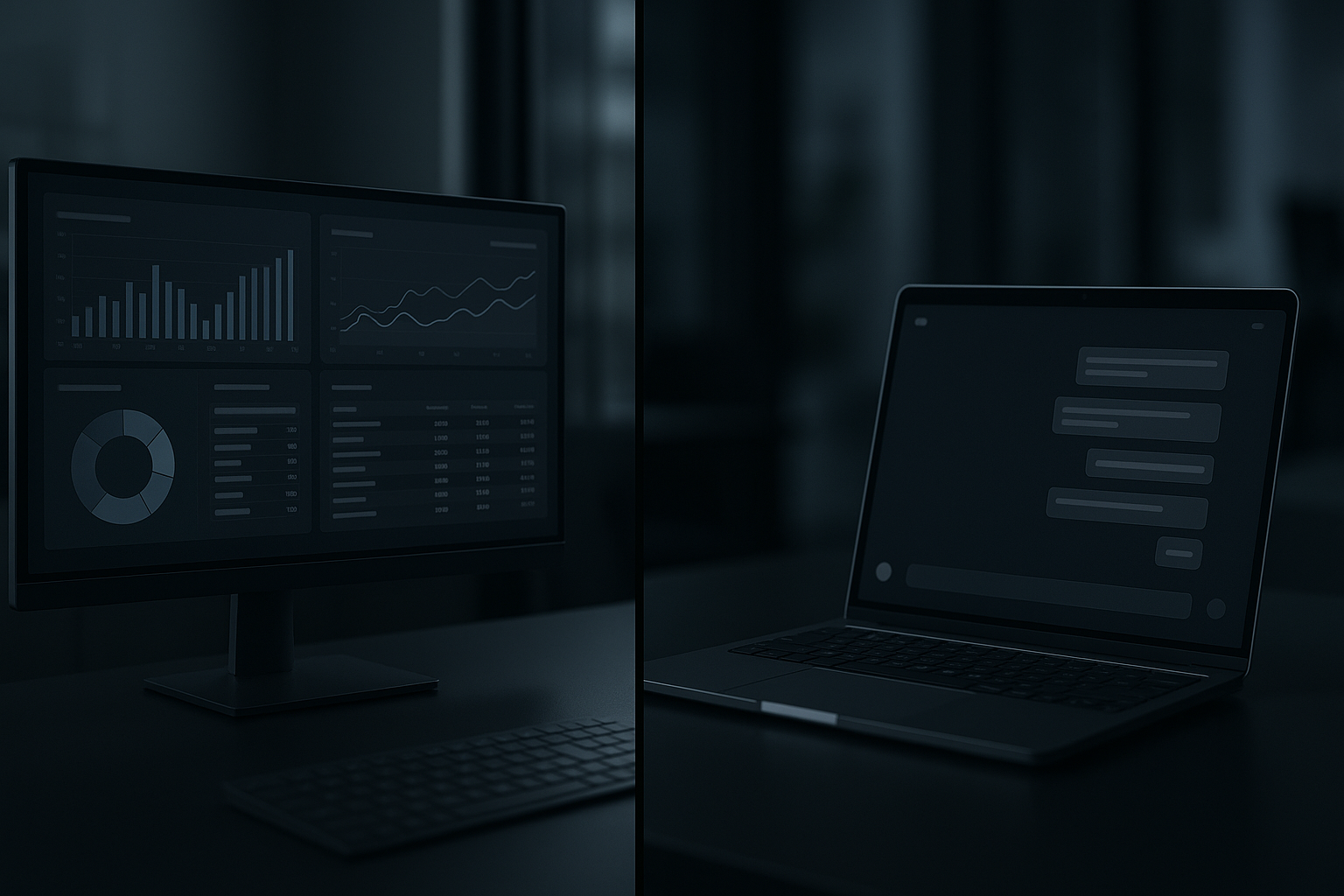
Old School Dashboards vs Conversational Interfaces
Quick overview
Dashboards and conversational interfaces both help people get answers from data, but they work differently:
- Dashboards are layout-first: fixed panels, charts, and tables arranged for regular monitoring.
- Conversational interfaces are question-first: users type or speak queries and receive focused answers or follow-up prompts.
This post compares both approaches across common business needs and gives a short decision checklist you can apply.
What a traditional dashboard offers
- Predictable layout: KPIs and charts stay in known positions.
- Monitoring at a glance: great for recurring checks and shift handoffs.
- Comparison & context: side-by-side visualizations help spot relationships.
- Shared language: teams build rituals around the same view.
When dashboards shine:
- Routine reporting (daily/weekly metrics).
- Operations that rely on consistent views (support queues, sales funnels).
- Visual correlation (e.g., revenue vs. ad spend over time).
Trade-offs:
- Limited ad-hoc exploration unless you build interactive filters.
- Can be cluttered if you try to show everything.
- Maintenance burden for new data sources or metric changes.
What conversational interfaces offer
- Query-driven access: users ask specific questions in natural language.
- Guided exploration: follow-up prompts and suggestions steer discovery.
- Lightweight onboarding: non-technical users can get answers without learning layouts.
- Integration with workflows: responses can link to actions (create ticket, send alert).
When conversational interfaces shine:
- Ad-hoc questions from non-technical users.
- Troubleshooting or root-cause exploration where the next question depends on the answer.
- When time-to-answer matters more than seeing the whole context.
Trade-offs:
- Harder to trust for complex multi-step analysis unless provenance is surfaced.
- Less efficient when users need broad, persistent context across multiple metrics.
- Can encourage shallow queries if the system doesn’t suggest deeper dives.
Side-by-side comparison (practical lens)
Speed of insight
- Dashboards: fast for known checks; slow for unfamiliar queries.
- Conversational: fast for targeted questions; slower if the system lacks context.
Exploration & discovery
- Dashboards: good for visual correlation and trend spotting.
- Conversational: good for iterative hypotheses and follow-up queries.
Learning curve
- Dashboards: require training to understand each metric and layout.
- Conversational: lower barrier — depends on how the Q&A is framed.
Operational reliability
- Dashboards: stable if data pipelines are robust.
- Conversational: depends heavily on data access, prompt design, and provenance.
Collaboration
- Dashboards: shared views and annotated snapshots support team rituals.
- Conversational: better for individual queries and exploratory dialogue; needs linking to shared artifacts for team alignment.
When to use dashboards (short checklist)
Use a dashboard when:
- You need a persistent, shared snapshot for a team or shift.
- Operators perform the same checks repeatedly.
- Visual correlation between metrics is important.
- You must enforce a consistent definition of metrics across users.

When to use conversational interfaces (short checklist)
Use a conversational interface when:
- Users ask varied, ad-hoc questions and need quick answers.
- Non-technical staff must access data without training on a dashboard.
- You want to support iterative troubleshooting or decision trees.
- Tight workflow integration is needed (e.g., asking then acting in the same chat).
Hybrid: using both where they make sense
Most teams benefit from a hybrid approach:
- Dashboards for routine monitoring and shared context.
- Conversational interfaces for ad-hoc queries and guided troubleshooting.
Practical ways to combine them:
- Embed a chat widget into a dashboard for question-driven detail from a panel.
- Provide links from conversational answers back to the dashboard view that generated the numbers (source-of-truth links).
- Use bots to surface dashboard anomalies with a short explanation and a link to the full view.

Implementation tips (practical, beginner-friendly)
- Start with user jobs, not tools. Map common tasks: monitor, investigate, decide, act.
- Keep dashboards focused. One audience, one job per dashboard.
- Design conversational flows around common question patterns (what happened, why, next step).
- Surface provenance. For conversational answers, show data sources and query filters or link to the originating dashboard.
- Log queries and clicks. Use that data to refine both dashboard panels and conversational prompts.
- Automate simple actions. If an answer commonly leads to the same action, let users trigger it from the interface.
- Iterate with real users. Measure time-to-answer and error rate; refine accordingly.
Migration and maintenance realities
- Dashboards scale poorly if every team needs a bespoke view; plan for templating and shared metrics.
- Conversational systems need ongoing prompt engineering and dataset access; treat it like product work, not a one-off experiment.
- Both require reliable data pipelines. Choose the interface after stabilizing data quality.
Final checklist to decide right now
Ask these questions and choose accordingly:
- Do users need a consistent shared view? -> Dashboard
- Do users mostly ask unpredictable questions? -> Conversational
- Is visual correlation important? -> Dashboard
- Is low-training access and quick troubleshooting key? -> Conversational
- Can you link the two and preserve provenance? -> Use both
Conclusion
Old-school dashboards and conversational interfaces solve different problems. Dashboards provide stable shared context and visual correlation. Conversational interfaces lower the barrier for ad-hoc questions and guided troubleshooting. The most practical systems use both, with clear links and provenance between them.
Practical takeaway: pick the interface to match the job — monitor with dashboards, investigate with conversation, and connect them so answers trace back to a trusted source.
